

The sidebar has both a Dashboard and a Portfolio, and they are not the
same view. Portfolio is this roster of companies; Dashboard is the analytics
that read across them. If you are looking for a specific company, you want
this page.
The list
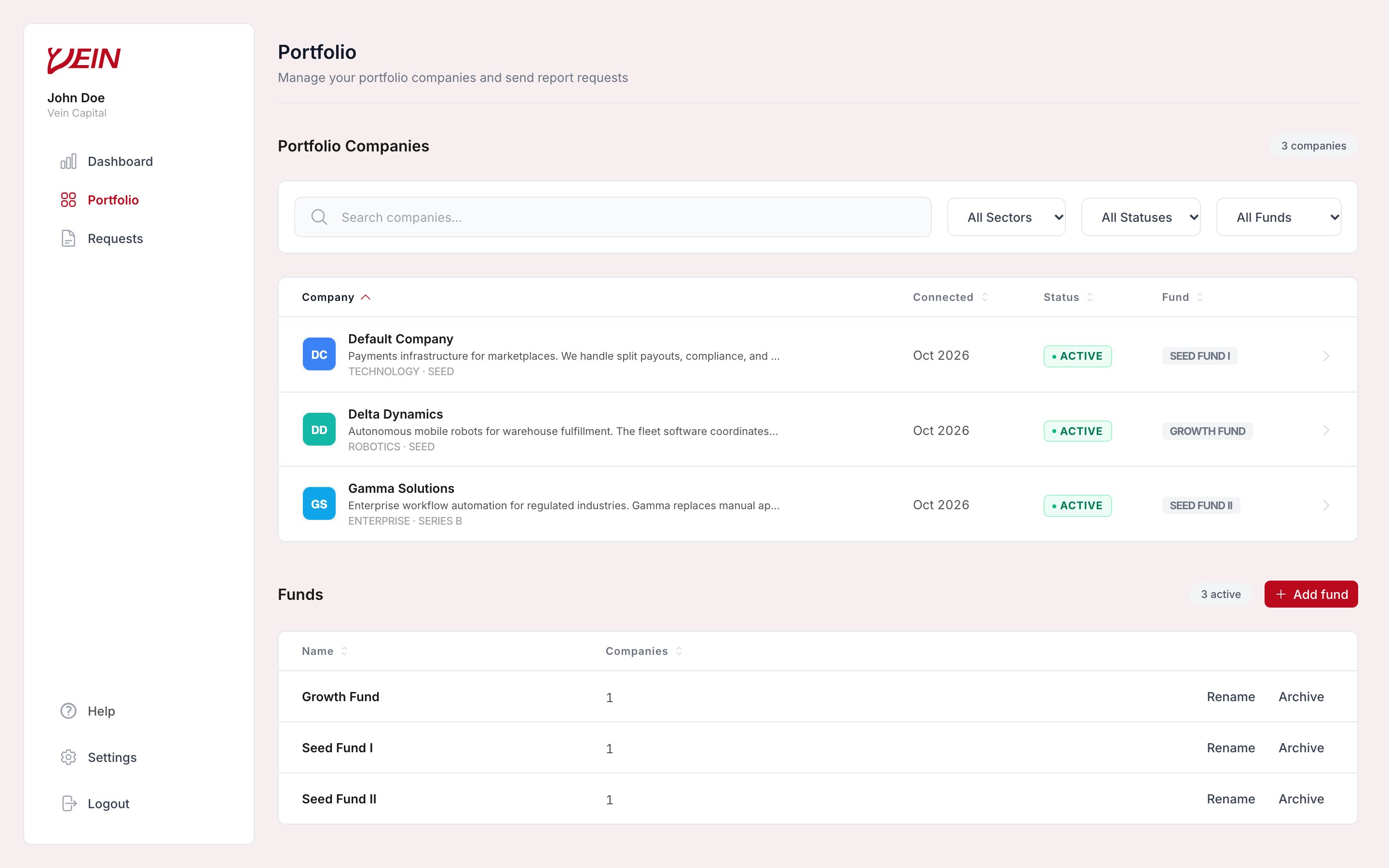
Portfolio: every company with when it connected, its status, and its fund, plus the funds you have set up below.
Search narrows by name, and the sector, status, and fund filters narrow the list
when the portfolio is large enough that scanning stops working. If you are an
accelerator or incubator rather than a fund, the page uses your vocabulary
instead: the portfolio is a Cohort, and companies are grouped by cohort
rather than by fund.
Funds
Below the list, the Funds table groups your companies. Add fund creates one, and each fund can be renamed or archived. Assigning a company to a fund lets you filter the list by it.Opening a company
Selecting a row opens that company on its own page, which reads down one company the way the Dashboard reads across all of them. Five tabs divide it. Overview answers “what did this company say, and what needs my attention”. It shows your investment summary when there are terms to show, any signals about the company (a large metric move, short runway, a high-severity risk, an ask due this month), and its Latest Update, which lays out every written block from the most recent report with asks and risks first. This is the tab to open before a call. Metrics holds the company’s metric cards, grouped by category, with how each has moved since the previous report, and a chart with a metric picker. Only metrics with at least two reported periods appear in the chart, since one period is not a trend. Reports is every report this company has sent you, newest first, above a summary of days since the last one, how many they have sent, and the average interval between them. A single report tells you the quarter; four in a row tell you the trajectory, and make it obvious when a company has stopped mentioning something it used to lead with. Documents gathers the files attached to any of the company’s reports into one list, so you do not have to remember which report carried the cap table. A file attached to several reports appears once, under the latest. Requests is what you have asked this company for and where each ask stands. You can open one to see its detail, or start a new one without leaving the page. Nothing on that page is entered by you or by us. The metrics arrive through the reports the company sends, so if it has not reported recently, its Overview reflects the last report that arrived rather than its situation today; a gap there is itself information.Next steps
- Read and request reports: what arrives, and how to ask for what is missing.