

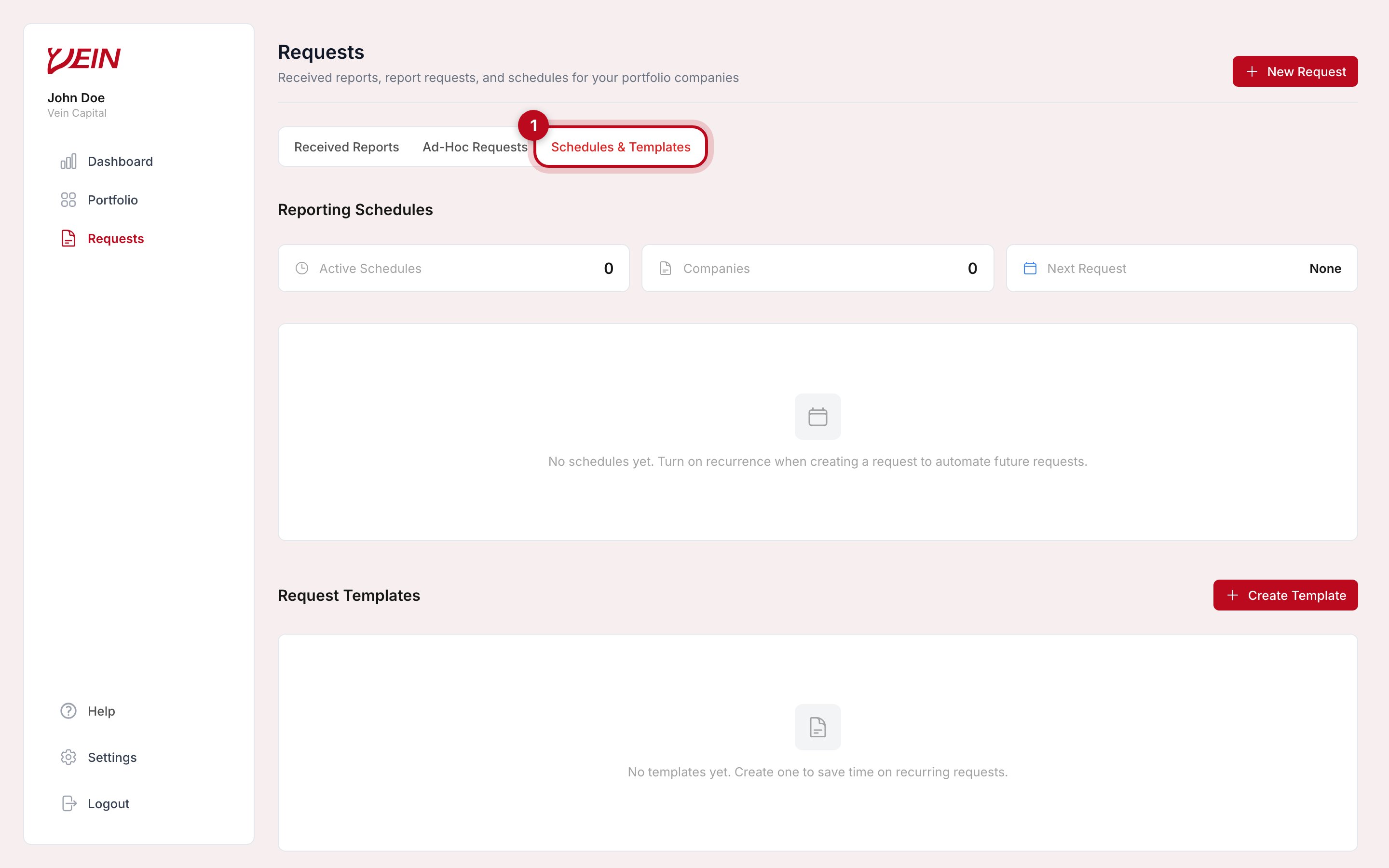
Schedules and Request Templates share a tab on the Requests page.
Request templates
A template is a saved selection of topics. Create one with Create Template on this tab, or choose Save as Template while you are building a request. The next request then starts from it rather than from an empty form; you pick the companies and send.Reporting schedules
A schedule sends a request automatically on a recurring basis, so a quarterly update does not depend on anyone remembering. You set one up from the request form: turn on Make it recurring and choose how often, which is monthly, quarterly, annually, or a custom interval of your own. The panel on this tab then tracks how many schedules are active, how many companies they cover, and when the next request goes out. Each time a schedule comes due, the company receives a new request in its Requests tab. The practical difference:
They compose. A schedule built on a template is the setup most firms end up
with: the same questions, on the same cadence, without anyone chasing. Creating
schedules and templates is limited to admins and owners.
A reasonable setup
Build the template first, from the topics you actually read rather than everything available. Send it manually once and see what comes back; that is when you learn whether a topic you thought was essential produces anything useful. Then put the version that survived on a schedule.Next steps
- Request a report: the underlying request flow.