> ## Documentation Index
> Fetch the complete documentation index at: https://docs.vein.finance/llms.txt
> Use this file to discover all available pages before exploring further.
# Your portfolio
> See every company you have invested in, and drill into any one of them.
The Portfolio page is the list of companies you have invested in, with what you
put in and what you own. It is the starting point for most investor work in
Vein: from here you open a company, read its reports, or ask it for something.
The sidebar has both a **Dashboard** and a **Portfolio**, and they are not the
same view. Portfolio is this roster of companies; Dashboard is the analytics
that read *across* them, covered in
[portfolio intelligence](/guides/portfolio-intelligence). If you are looking
for a specific company, you want this page.
## The list
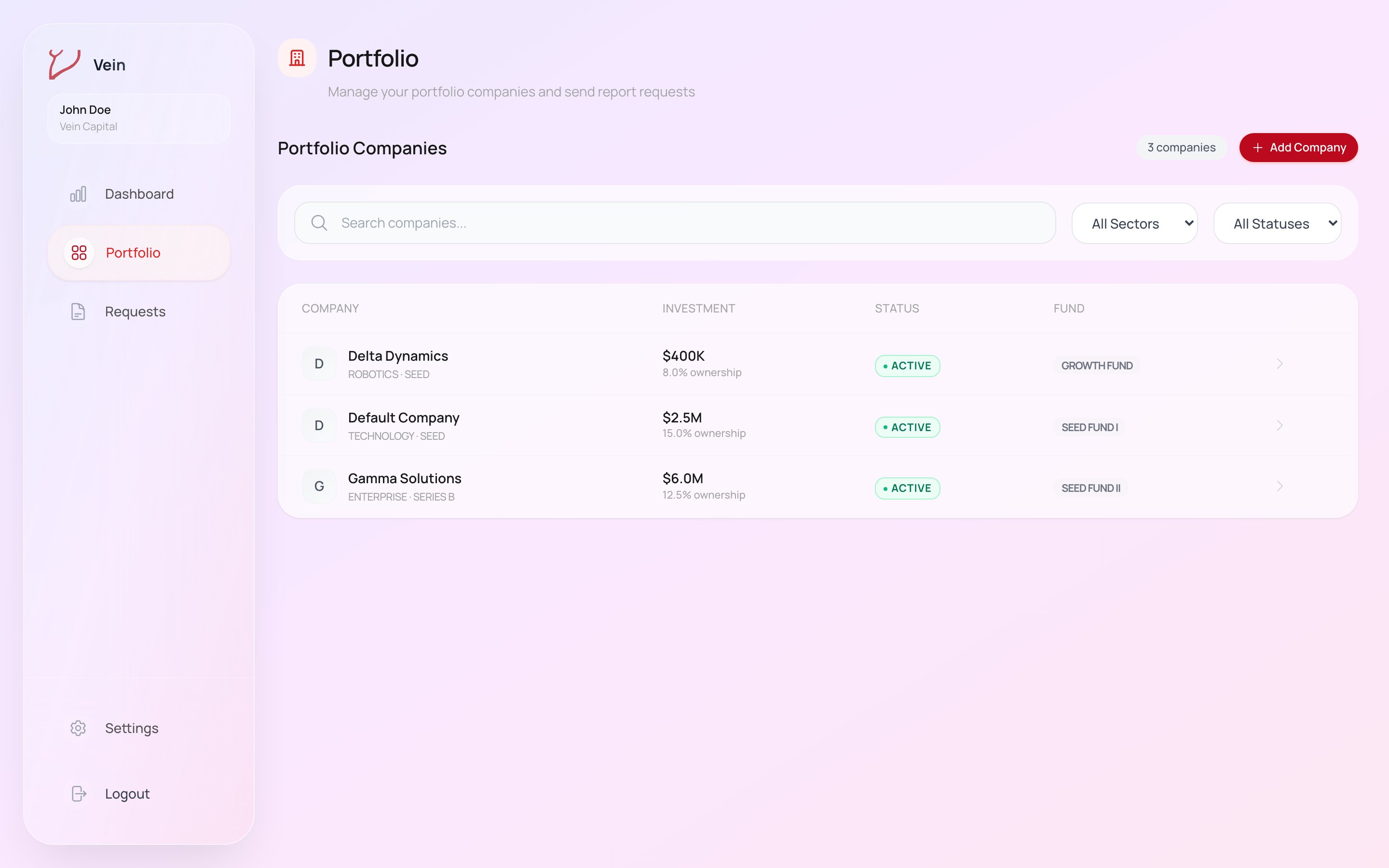 Each row carries the details you would otherwise keep in a spreadsheet:
| Column | What it shows |
| ---------- | --------------------------------------------- |
| Company | Name, sector, and stage |
| Investment | Amount invested and your ownership percentage |
| Status | Whether the position is active |
| Fund | Which of your funds holds it |
Search narrows by name, and the sector and status filters narrow the list when
the portfolio is large enough that scanning stops working.
## Adding a company
Add Company creates the relationship between your firm and a company, and
records the investment details that appear in the list. A company must exist in
Vein before it can report to you, so this is the first step for a new position.
## Opening a company
Selecting a row opens that company on its own page, which reads down one company
the way the Dashboard reads across all of them. Three tabs divide it.
**Overview** is the investment summary: your position, the company's most recent
report, and its current metrics with how they have moved. This is the tab to open
before a call; it answers "where are they now, and what changed since last time"
without requiring you to open a report.
**Reports** is every report this company has sent you, newest first. Reading them
in sequence is the point of this tab. A single report tells you the quarter; four
in a row tell you the trajectory, and make it obvious when a company has stopped
mentioning something it used to lead with.
**Requests** is what you have asked this company for and where each ask stands,
gathering requests you raised from anywhere in the product. You can open one to
see its detail, or start a new one without leaving the page.
Creating a request from here pre-selects the company, which is the quickest
route when you are already looking at their numbers and notice a gap. The
fuller form (several companies at once, saved topics, a recurring schedule)
is on the [Requests page](/guides/request-a-report#ask-for-a-report).
Nothing on that page is entered by you or by us. The metrics arrive through the
reports the company sends, so if it has not reported recently, its Overview
reflects the last report that arrived rather than its situation today; a gap
there is itself information.
## Next steps
* [Read and request reports](/guides/request-a-report): what arrives, and how to
ask for what is missing.
* [Portfolio intelligence](/guides/portfolio-intelligence): the aggregated view
across everything you hold.
Each row carries the details you would otherwise keep in a spreadsheet:
| Column | What it shows |
| ---------- | --------------------------------------------- |
| Company | Name, sector, and stage |
| Investment | Amount invested and your ownership percentage |
| Status | Whether the position is active |
| Fund | Which of your funds holds it |
Search narrows by name, and the sector and status filters narrow the list when
the portfolio is large enough that scanning stops working.
## Adding a company
Add Company creates the relationship between your firm and a company, and
records the investment details that appear in the list. A company must exist in
Vein before it can report to you, so this is the first step for a new position.
## Opening a company
Selecting a row opens that company on its own page, which reads down one company
the way the Dashboard reads across all of them. Three tabs divide it.
**Overview** is the investment summary: your position, the company's most recent
report, and its current metrics with how they have moved. This is the tab to open
before a call; it answers "where are they now, and what changed since last time"
without requiring you to open a report.
**Reports** is every report this company has sent you, newest first. Reading them
in sequence is the point of this tab. A single report tells you the quarter; four
in a row tell you the trajectory, and make it obvious when a company has stopped
mentioning something it used to lead with.
**Requests** is what you have asked this company for and where each ask stands,
gathering requests you raised from anywhere in the product. You can open one to
see its detail, or start a new one without leaving the page.
Creating a request from here pre-selects the company, which is the quickest
route when you are already looking at their numbers and notice a gap. The
fuller form (several companies at once, saved topics, a recurring schedule)
is on the [Requests page](/guides/request-a-report#ask-for-a-report).
Nothing on that page is entered by you or by us. The metrics arrive through the
reports the company sends, so if it has not reported recently, its Overview
reflects the last report that arrived rather than its situation today; a gap
there is itself information.
## Next steps
* [Read and request reports](/guides/request-a-report): what arrives, and how to
ask for what is missing.
* [Portfolio intelligence](/guides/portfolio-intelligence): the aggregated view
across everything you hold.